Postingan

Dutch queen Beatrix' phone

Gambar
The day before yesterday, queen Beatrix of the Netherlands announced that she will abdicate on April 30, when she will have been on the throne for exactly 33 years. Her efficient, professional and even perfectionist style is also reflected by the telephones which are in her office in the palace of Huis ten Bosch: a simple modern white phone from the Unifoon series: Queen Beatrix in her office at her last meeting with prime minister Mark Rutte Notice the white Unifoon against the wall and the prime minister having two mobile phones while the queen only has paper and pencils in front of her (April 22, 2013). (Photo: Minister-president @ Flickr) Allthough the Netherlands is a very liberal society, the government and the royal family are still less open. Opposite to the United States, where we can get almost day-to-day pictures of the president and the White House, pictures of queen Beatrix and her surroundings are quite rare. The Dutch queen Beatrix in her office at the Huis ten Bosc...

[Solved] W: GPG error: http://coredev.nl iphone Release

Gambar
Many times when i was installing " Theos " on my iOS device everything went well till the last step which is "apt-get update". When i ran the command, it would always give me an error " W: GPG error: http://coredev.nl iphone Release: The following signatures couldn’t be verified because the public key is not available: NO_PUBKEY " as shown in the below screenshot. After much googling, i found this link which explains the solution to this issue. Though the scenario in the link is different than mine, however it seemed to work well for me :) The solution was, navigate to the sources.list.d folder and add the " public key " to that folder. This can be done wither by using "lynx" or by using "wget". A shown in the above screenshot, apt-get works well after the above steps were followed. References: http://imho.nu/iMHo/resize-root-partition/

iOS SSH over USB

Gambar
Introduction: Many a times, at client side we are not provided with Wifi access and connecting to our iOS device to read local data can be a real pain. At such a period, we can use a tool called as “usbmuxd” to connect to the Jailbroken iOS device running OpenSSH over the USB. Detailed Steps: Step 1: Make sure you have python installed on your machine. Download latest copy of “usbmuxd” using the command “git clone http://git.sukimashita.com/usbmuxd.git ”. Step 2: Navigate to the “python-client” folder and run the command “chmod +x tcprelay.py” and then run the tool using the command “./tcprelay.py -t 22:2222” The “t” basically allows multiple threads to run so that multiple simultaneous ssh connections can be established. Step 3: Now, once the tcprelay starts its work, we use the command “ssh root@localhost -p 2222” to forward the local port 2222 to remote port 22. Use the credentials “root/alpine” to connect to the OpenSSH server running on the device. Now, all the commands which can ...

Adding custom certificate to Android Trusted certificate store

Gambar
Introduction Android maintains a list of trusted certificates any deviance in the certificate would result in a error in connection. Below screenshot shows how the browser gives a popup when we set the Android device to forward the traffic to Burp Proxy instead of the actual server. Once, the user clicks on “Continue”, the user can continue to use the application as per his requirement. However, in case of native applications there is no “popup” and the connection is directly rejected. Solution: Add the proxy certificate to android trusted store. How: Step 1: Download the latest copy of bouncycastle lib from http://www.bouncycastle.org/latest_releases.html into a folder called “lib”. During the making of this document, the latest version of the lib was v1.47. Step 2: Extract a copy of the current certificate file ie. “cacerts.bks” from the android device using: adb pull /system/etc/security/cacerts.bks Step 3: Download a copy of the Charles Proxy certificate from the Charles website ht...

Decompiling Encrypted iOS binaries

Gambar
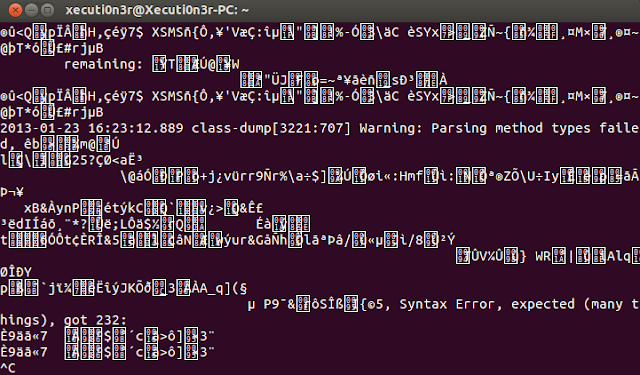
Introduction: In my previous article , i had described how you would normally go about decompiling an iOS application. That method would be working for a majority of applications. However, many a times the developers push in security feature to prevent the attackers from decompiling/debugging the application. In our case, though we are the developers friends and are testing the application, it would be good if we actually follow the same route as an attacker would. That way, we can understand what exact information is disclosed and how the application can be compromised. Requirements: iOS device must be jailbroken. OpenSSH should be installed on the iOS device. SSH Client on your machine. "Class Dump" should be installed on the iOS device via "Cydia" "Cycript" should be installed on the iOS device via "Cydia". Detailed Steps: First we will try and use the same step as used in our previous post to dump the class file information via "class du...

Reverse Engineering an iOS application

Gambar
Introduction: When you are PenTesting an iOS application, you would want to read the code of the provided application and understand the backend classes and hidden information. Using this, you can try and exploit the application to gain access to sensitive information or to redirect the flow of the application in an malicious manner. Reverse Engineering an iOS application is completely different as compared to an Android apk. The complete original source code cannot be revivied from an existing iOS application. Only, declarations for the classes, categories and protocols can be decompiled from an given application. Requirements: iOS device must be jailbroken. OpenSSH should be installed on the iOS device. SSH Client on your machine. " Class Dump" should be installed on the iOS device via "Cydia" Detailed Steps: Step 1: SSH in to your iOS device using credentials as root:alpine.   Step 2: Launch the application on your device and note down the application location o...

Reverse Engineering an Android application

Gambar
Introduction: The Android compiler suite compiles the developer's Java files into class files, and then the class files are converted into dex files. Dex files are bytecode for the DalvikVM which is a non-standard JVM that runs on Android applications. The XML files are converted into a binary format that is optimized to create small files. The dex files, binary XML files, and other resources, which are required to run an application, are packaged into an Android package file. These files have the .apk extension, but they are just ZIP files. Once the APK package is generated, it is signed with a developer's key and uploaded onto the  Androidmarket via Google's website from where the user can download these APK files and install them on the Android device. Requirements: Tool to unpack the .apk file : 7zip Tool to convert the .dex to a .jar file : dex2jar GUI tool for Java decompilation : JD-GUI The android apk file. Detailed Steps: Step 1: You can get the apk file matc...